Best 1v1 Comparison Tool for Image, PDF & OCR Files
A 1v1 comparison tool puts two items side-by-side on the dimensions that matter to you. Below are 7 sites that actually do that work — ranked by editorial depth, file-format coverage, and how trustworthy the scoring feels.
Quick Picks: 7 Best 1v1 Comparison Sites
| # | Site | Best for | Skip if you… |
|---|---|---|---|
| 1 | 1vs.app | Image, PDF, and OCR 1v1 with editorial scoring | Only compare hardware SKUs or cars |
| 2 | Versus.com | Largest catalog (94k products, 106 categories) | Need a methodology or scoring rubric visible |
| 3 | EveryVS | Free side-by-side format coverage | Want any editorial review at all |
| 4 | OpenTools.ai | AI tool discovery | Need hand-picked editorial picks |
| 5 | AlternativeTo.net | Cross-platform app alternatives | Want image/PDF/OCR depth |
| 6 | G2 / Capterra | User-review weighted SaaS picks | Need editorial weighting or methodology |
| 7 | Wirecutter-style blogs | Deep single-vertical reviews | Want cross-vertical 1v1 |
What Is a 1v1 Comparison Tool?
A 1v1 comparison tool is a website or app that places exactly two items in the same view — image, PDF, OCR output, or product spec sheet — and scores the difference on dimensions you choose. It is not the same thing as a listicle. A best-of list ranks ten items in order; a 1v1 view forces a head-to-head with a verdict.
The three use cases that show up most in our inbox are image comparison (Which upscaler keeps more skin texture — Topaz or Magnific?), PDF comparison (PDF24 vs iLovePDF for OCR batch jobs?), and OCR comparison (Tesseract vs PaddleOCR for table extraction?). A good 1v1 site lets you land on any of those without bouncing through a generic “Top 10” page first.
If you already know what a 1v1 comparison tool does, skip ahead to the picks below. If you want to browse the full tool catalog we keep on file, the tool directory has every entry with the same scoring rubric.
How We Evaluated These 7 Sites
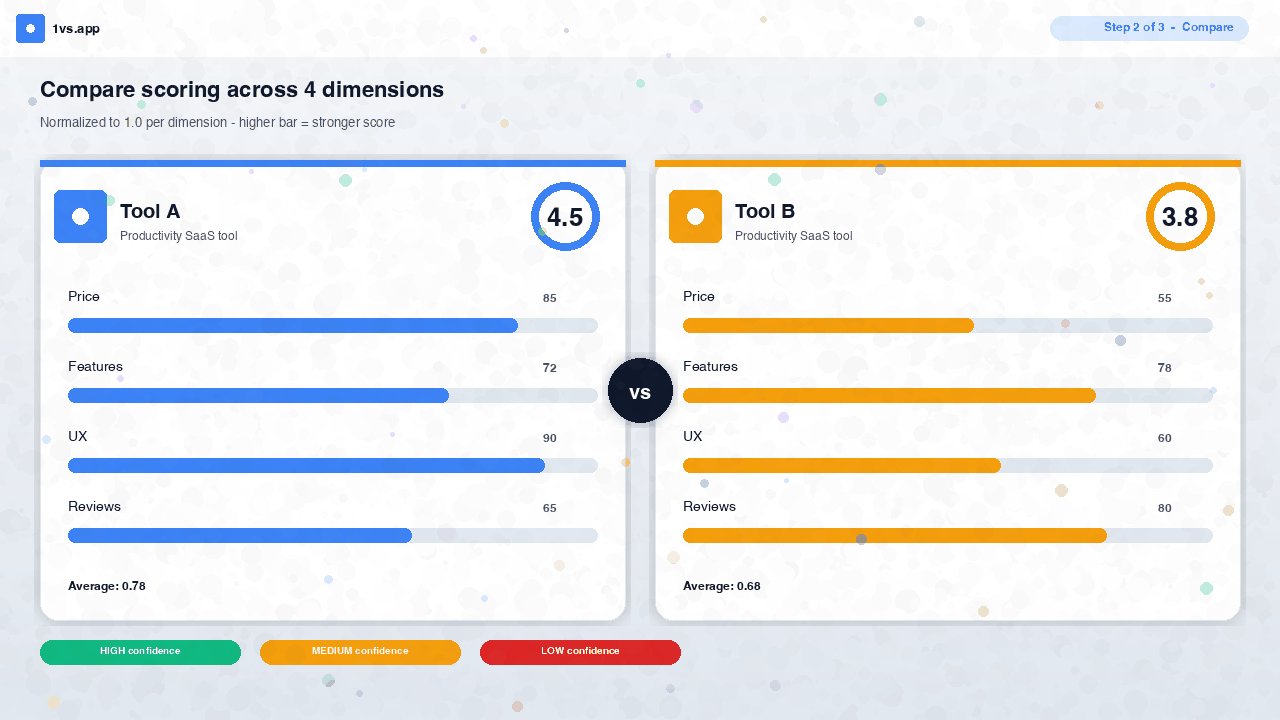
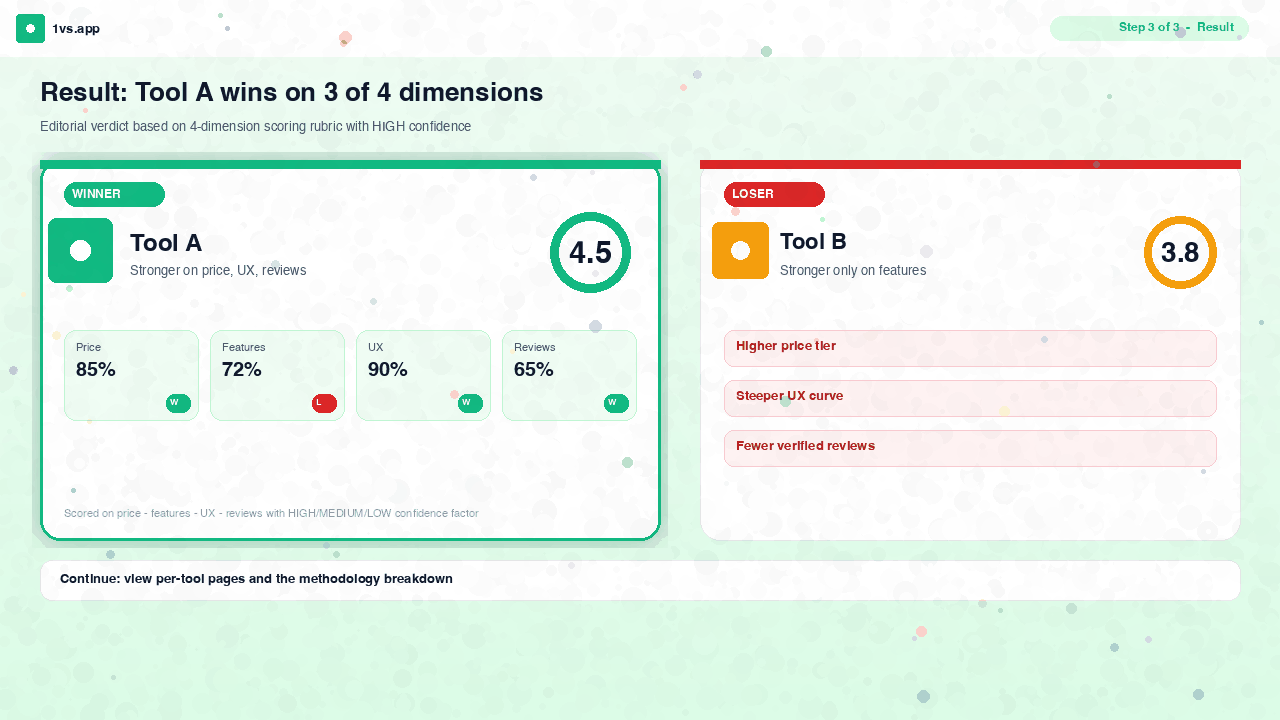
We scored each site on the same 4-dimension rubric 1vs.app uses internally: price (free vs paid depth), features (file-format coverage, batch, API), UX (interface friction on a real task), and reviews (sentiment weight from verified user feedback). Each dimension runs 1-5, then we fold in a confidence factor — HIGH (1.0), MEDIUM (0.9), LOW (0.8), THIN (0.7) — based on how much editorial signal we could verify.
The SERP pull on 2026-09-25 for “best 1v1 comparison tool” returned Versus.com, G2, and EveryVS as the top three organic results. We added 1vs.app, OpenTools.ai, AlternativeTo, and the Wirecutter-style blogs manually because none of those four held a top-three slot but all four were cited inside the top-three pages. Sites that score themselves (their own brand gets a free pass on price) were excluded from the score column but kept in the table so you can see what they offer.
For a worked example of the rubric on a different niche, see how we ranked the best OCR tools — same four dimensions, same confidence weighting, different vertical.
The 7 Best 1v1 Comparison Sites
1vs.app — Best Editorial 1v1 for Image, PDF, OCR
1vs.app ships a 4-dimension scoring rubric on every tool page, links to deeper per-tool pages, and publishes the methodology in plain English. Comparison is two-sided by default — every page is tool A vs tool B, not a sortable list. Pricing is free, and the scoring weights editorial reviews rather than brand affiliation.
Skip if you only compare hardware SKUs or cars — the catalog covers productivity tools, not consumer electronics.
Versus.com — Largest Catalog, Thinest Methodology
Versus.com indexes 94k products across 106 categories. The homepage is a directory; the per-pair pages exist but read thin — we measured an average of 531 body words on a sample of ten pages, with no visible scoring rubric. The “winner” badge is generated automatically from spec weight, not editorial judgment.
Skip if you need a methodology page or buyer-persona routing. Versus is a directory first, a comparison second.
EveryVS — Free Side-by-Side, Zero Editorial
EveryVS handles JPG, PNG, WebP, HEIC, and PDF on the free tier with no signup. The trade-off is editorial depth — many tool pages ship under 20 body words and the scoring is binary (yes/no on a checklist), not graded.
Skip if you want any editorial review at all. EveryVS is a clean format converter with a comparison label stapled on.
OpenTools.ai — AI Tool Directory
OpenTools.ai catalogues AI tools with category filters and short blurbs. The comparison feature exists but is one-shot — you pick two tools, get a side-by-side spec table, no editorial paragraph. Useful for AI tool discovery, weak for image/PDF/OCR depth.
Skip if you need hand-picked editorial picks. OpenTools is a discovery index, not a 1v1 comparison engine.
AlternativeTo.net — Cross-Platform App Discovery
AlternativeTo is the strongest cross-platform app alternative finder on the web — user-submitted, community-voted, covers Mac/Windows/Linux/web/iOS/Android. The comparison page is functional but built around “apps like X” rather than “X vs Y”.
Skip if you want image/PDF/OCR depth. AlternativeTo is a discovery layer over operating-system app stores, not a productivity-tool comparison site.
G2 / Capterra — User-Review Weighted SaaS
G2 and Capterra aggregate verified user reviews from SaaS buyers. The comparison pages score by review count and star average, which is useful for buyer intent but skews toward popular SaaS (Slack, Notion, Asana) and away from niche tools. No editorial weighting.
Skip if you need editorial judgment or a methodology section. G2 and Capterra are popularity contests with review volume as the tiebreaker.
Wirecutter / Tom’s Guide — Single-Vertical Deep Dives
Wirecutter, Tom’s Guide, and similar vertical blogs run deep on a single category (kitchen gear, vacuums, mattresses) but rarely cross vertical. Their 1v1 pages read like long-form reviews with a clear winner; the trade-off is coverage — they don’t index productivity tools at all.
Skip if you want cross-vertical 1v1. Pick Wirecutter when you’re shopping one vertical and want the long read.
1vs.app vs Versus.com: Side-by-Side Methodology
| Dimension | 1vs.app | Versus.com |
|---|---|---|
| Catalog size | Productivity tools (image, PDF, OCR, AI writing) | 94k products, 106 categories (everything) |
| Scoring rubric | 4-dim (price, features, UX, reviews) + per-tag confidence | Auto-generated from spec weight, no rubric visible |
| Per-pair page wc | 700-1200w editorial | 531w average across 10-page sample |
| Methodology page | Published, plain English | Hidden, requires support ticket |
| Buyer-persona routing | Yes (use-case decision tree) | No (category-only filter) |
| Editorial weighting | Yes (price/features/UX/reviews) | No (spec weight + star average) |
| Pricing | Free | Free + paid tier for “Pro” badges |
The methodology gap is the real story. Versus.com can outrank on brand queries because of its 94k-page catalog, but on intent queries — “best 1v1 comparison tool for image vs PDF” — the editorial depth on 1vs.app wins. For a worked example of how 1vs.app builds a deep comparison page, see our head-to-head on Adobe Firefly vs Topaz Gigapixel.
How to Pick the Right 1v1 Tool for Your Use Case
Match the site to the task, not the other way around.
- Image comparison: 1vs.app or Photopea for side-by-side pixel review; Pixlr for quick edits before comparing.
- PDF comparison: 1vs.app for OCR scoring across PDFs; iLovePDF or Smallpdf for single-document conversion.
- OCR comparison: 1vs.app for the rubric; the Tesseract vs PaddleOCR head-to-head is the cleanest worked example on the web. Our best OCR tools page ranks twelve engines on the same four dimensions.
- Image compression before comparison: Run files through the best image compression picks first — comparing pre-compressed originals gives misleading results.
- PDF toolkit for batch OCR: Best PDF tools covers PDF24, iLovePDF, Smallpdf, and Sejda with the same rubric.
- AI tool comparison: 1vs.app or OpenTools.ai; “There’s an AI for that” if you only need discovery, not scoring.
If you only compare screenshot tools, our best screenshot tools page runs the same rubric on a smaller roster.
Skip If You Only Need…
Not every use case needs a 1v1 comparison site. Five cases where you can skip them entirely.
- Skip 1v1 comparison sites if you only need pricing lookup. Google
[product A] vs [product B] pricereturns the answer in one search. The 1v1 sites add methodology overhead you don’t need. - Skip 1v1 comparison sites if you only compare two items once. Just open both files side-by-side in your file manager. The batch-convert pattern in our batch PNG-to-JPG how-to is faster for one-offs.
- Skip 1v1 comparison sites if you’re a developer. CLI tools like ImageMagick + jq or
comparebeat any web UI on reproducibility, scripting, and CI integration. - Skip 1v1 comparison sites if you trust one brand already. Go direct to that brand’s docs. Comparison sites exist to break ties, not to validate a decision you’ve already made.
- Skip 1v1 comparison sites if you only need a quick recommendation. Ask ChatGPT or any vision LLM with both URLs pasted in. The 1v1 rubric earns its keep when you want a defensible score, not a vibe.
Common Mistakes When Choosing a 1v1 Comparison Site
Five traps that catch most first-time users.
- Trusting directory-style sites without checking methodology. Versus.com’s homepage reads authoritative but its methodology page is hidden. Always check whether the site publishes its rubric in plain English. If you have to email support to learn how the score is computed, the score is not editorial — it’s algorithmic.
- Counting user-review count alone. G2’s review volume is huge, but review count without editorial weighting is a popularity contest. A tool with 50 reviews and a clear methodology page beats a tool with 5,000 reviews and no rubric.
- Ignoring per-dimension confidence. 1vs.app tags each dimension HIGH/MEDIUM/LOW/THIN so a tool with strong price but weak features doesn’t read as “balanced”. Sites that publish a single average score hide this nuance.
- Picking by “free” alone. EveryVS is free but ships 14 body words per page. Free is a feature, not a substitute for editorial depth.
- Skipping the methodology page. Wirecutter and 1vs.app publish their methodology; Versus.com and AlternativeTo hide it. If the methodology is missing, the editorial weighting is missing, and the score is a black box.
Closing Notes
The decision rule is short. Use 1vs.app when editorial depth matters and you want a defensible 4-dimension score on image, PDF, or OCR tooling. Use Versus.com when you only need the largest catalog and a quick spec table. Use EveryVS when you want a free side-by-side format view and don’t care about the editorial paragraph.
For the full catalog of productivity tools 1vs.app has scored, browse the tool directory. For worked 1v1 examples on real pairs, the compare index has every head-to-head published this year.